
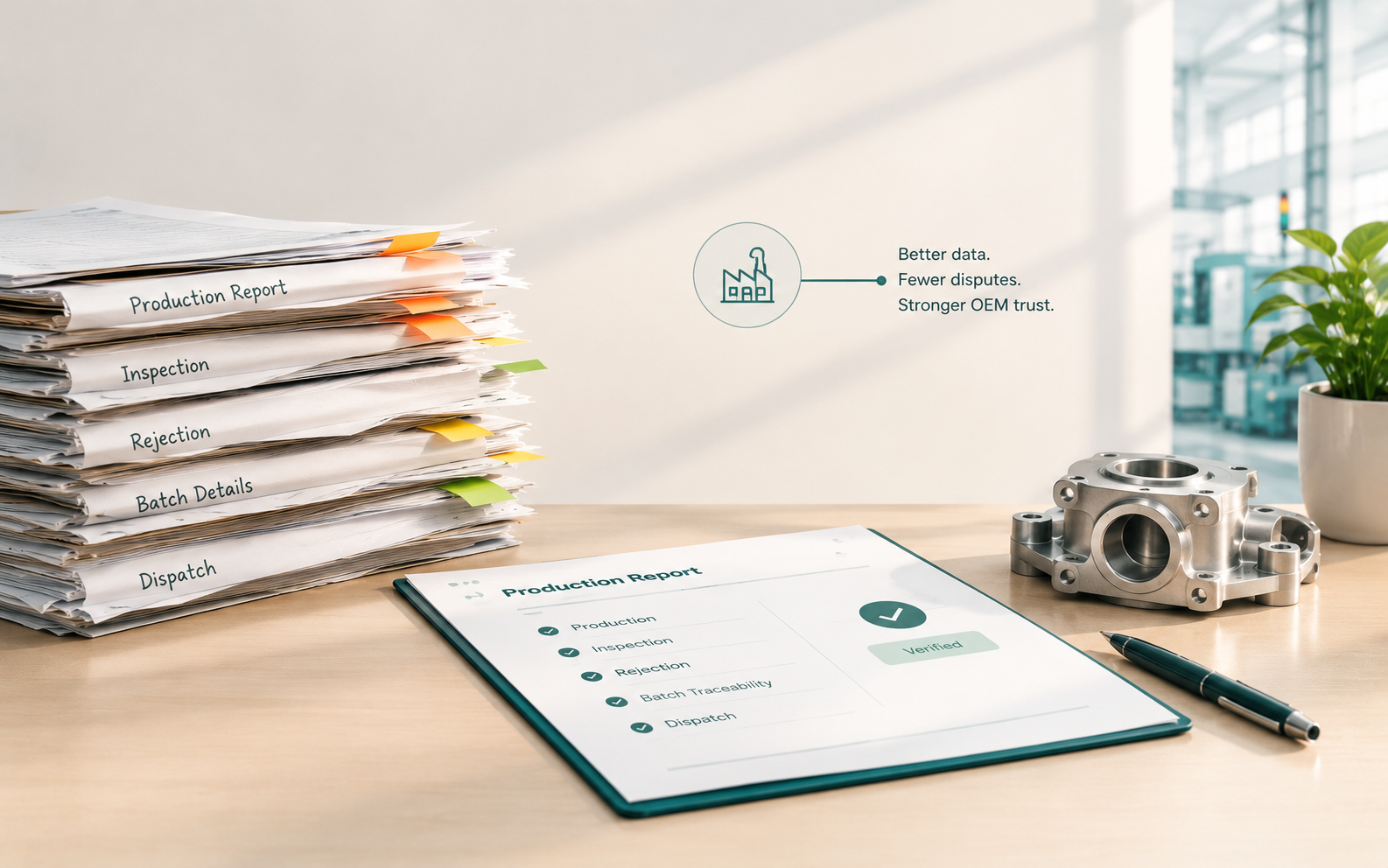
Every lot an auto component maker ships leaves with a report behind it. The sector posted a record ₹7.59 lakh crore turnover in FY2025-26, according to the Automotive Component Manufacturers Association of India (ACMA). Yet at many manufacturers, quality-related costs reach 15-20% of sales revenue, says the American Society for Quality (ASQ).
Ask yourself:
-
Can you tell your MD, before shift 3 starts, how many parts shift 2 really rejected?
-
If an OEM (the vehicle maker you supply) flags one part from last month, can you name its batch, machine and operator in minutes?
-
Does your report show what happened, or what someone remembered at the end of the shift?
We are Edhaas Digisoft, a Pune-based custom software firm for auto-component and manufacturing MSMEs (micro, small and medium enterprises). In our work with plants like yours, the cause is rarely a lack of effort. It is usually one of eight production reporting mistakes, and each one below comes with a check you can run today.
TL;DR
-
A report can show full output and still hide a wrong production sequence.
-
Scrap logged at shift end is history. Scrap logged at the machine is a warning.
-
Short stops rarely reach the downtime sheet, yet they set your real OEE.
-
One defect label hides the cause. Repeated "why" questions find it.
-
Quality and production data must share one record, or disputes take hours.
What Counts as a Production Reporting Mistake in an Auto Component Plant?
A production reporting mistake is any gap between what your report says and what the floor actually did. It can be a wrong number, a late number, a missing number or a number nobody can trace. In auto component plants, each type reaches the OEM sooner or later.
The eight mistakes in this guide fall into three types:
-
Wrong numbers: retyped figures, or the wrong measure (mistakes 1 and 3).
-
Late or missing numbers: scrap, stops and near-misses logged late or never (mistakes 4, 5 and 8).
-
Numbers nobody can trace or explain: no part link, no cause, no joined record (mistakes 2, 6 and 7).
When we build a reporting system for a plant, we first mark where each type enters the floor. Usually it is the shift handover. Let us start with the mistake under most of the others.
Mistake 1: Why Do Manual Entry and Spreadsheet Silos Make Shift Numbers Disagree?
Manual data entry and spreadsheet silos mean operators write production figures by hand and supervisors retype them into separate files. Each retyping step adds a chance for a wrong digit, and each file holds its own version of the truth. The result is two reports for the same shift that rarely match.
A field audit review by researcher Ray Panko found errors in 88% of 113 spreadsheets audited between 1995 and 2007.

Takeaway: Almost nine in ten audited spreadsheets carried errors, so a report built on retyped sheets starts at a disadvantage.
Paper and spreadsheets compare with a system built around your floor like this:
|
Question |
Excel or paper |
Custom reporting system |
|---|---|---|
|
Who enters the data? |
Operator writes, supervisor retypes |
Operator enters once, at the line |
|
When does the MD see shift output? |
Next morning |
While the shift runs |
|
Can you trace a part? |
Search through files |
Linked to batch, machine and inspection |
|
Who changed a figure? |
Often unknown |
Time-stamped user log |
|
How is the MD report built? |
Rebuilt by hand each week |
Always on the dashboard |
We remove the retyping step. Operators enter output, rejection and downtime once on a screen at the line, and that entry feeds the plan-versus-actual view the plant head already uses.
Check it today: Take one shift. Compare the operator sheet with the final report and count the mismatches.
Clean numbers still fail the OEM if you cannot trace them to one part.
Mistake 2: Can Your Reports Trace One Defective Part, or Only the Whole Batch?
Serial-level traceability means every part can be linked to its own machine, operator, material lot and inspection result. Batch-level records only say which group it came from. When an OEM flags one defective part, batch-only records force you to recall the whole batch instead of the few parts involved.
IATF 16949, the automotive quality standard, asks suppliers to plan traceability by product, process and site. The Automotive Industry Action Group (AIAG) also published a traceability guideline with a "fire drill" form for testing your system.
Run your own fire drill. The key steps are:
-
Pick one finished part from last week's dispatch.
-
Name its material lot, machine, operator and inspection record.
-
Time the search and count how many files you opened.
We label each part or batch with a barcode or QR code at the first operation. Every later scan adds to the same record.
A traceable part can still be reported wrongly if the report counts the wrong thing.
Mistake 3: Is Your Report Counting Parts While the Sequence Goes Wrong?
Reporting output over sequence accuracy means the report celebrates total parts made but never checks whether the right parts were made in the right order. OEMs run just-in-time (JIT) schedules, so the right part in the wrong sequence still stops their line.
This hits Tier-1 suppliers (companies that supply the OEM directly) and the Tier-2 suppliers who feed them.
Problem: The shift report says plan met. The OEM line waits for a variant that was made last.
Fix: Report plan versus actual by job and by sequence, not by total count.
We build plan-versus-actual around the job card and the dispatch order. A supervisor sees an out-of-sequence lot while the machine is still running.
Check it today: Compare yesterday's dispatch order with the order your report logged.
Sequence errors show at the dock. Scrap errors show even later.
Is your quality data ready for an audit or scattered across notebooks?
Tell us what your plant records look like today. We'll show you what the digital version looks like mapped to your process, not a template.
Mistake 4: Why Does Your Scrap Number Arrive Hours After the Scrap?
Delayed scrap tracking means material use and rejections are logged at the end of a shift or week instead of when they happen. A drifting machine keeps making bad parts until someone reads the report. By then, the material, labour and machine time are already spent.
ASQ's rule of thumb puts poor-quality cost in a thriving company at about 10-15% of operations, and many organizations run higher.
|
"true quality-related costs as high as 15-20% of sales revenue" American Society for Quality (ASQ), global professional body for quality. Source: ASQ, Cost of Quality |

Takeaway: ASQ's benchmarks stretch from 10-15% for a thriving company to as high as 40% for the worst performers.
We log scrap at the machine with a reason code, so the count reaches the dashboard while the shift is still running. The operator sees the same number the plant head sees.
Check it today: Ask when the last scrap entry on your busiest machine was made, and by whom.
Scrap is loud. The next mistake is silent.
Where do your reports and your floor disagree? Our team can walk through how your plant's numbers are built today. Schedule a Consultation
Mistake 5: Are Short Stops Hiding Inside "Machine Breakdown"?
Masking micro-stoppages means short stops are logged under a vague label such as "machine breakdown" or are not logged at all. A sensor that misreads a bin or a torque tool that slips costs only seconds each time. Added up across a shift, those seconds shape your real OEE (overall equipment effectiveness).
A usable stop log records four things:
-
The machine and the time of the stop
-
A reason picked from a fixed list, not free text
-
The duration, even when it is under two minutes
-
The operator who logged it
With these fields, maintenance can build a Pareto chart (a ranking of causes by frequency).
We build the stop screen with a fixed reason list and single-touch entry. Logging a short stop then takes less time than skipping it.
Check it today: Count the reasons your downtime sheet lists. Then count how many entries say "other" or "breakdown".
Stops explain lost time. The next mistake explains why defects keep returning.
Mistake 6: Do Your Quality Reports Record the Symptom or the Cause?
Symptom-based quality reporting records what was seen, such as a loose weld or a small hole, instead of why it happened. Fixing the symptom often brings the same defect back. Asking "why" repeatedly, the 5 Whys method linked to Toyota's Taiichi Ohno, moves the report from the defect to the process behind it.
Repeat defects can bring OEM escalation, including controlled shipping, where extra checks happen at the supplier's cost. This example shows the difference:
|
Report field |
Symptom-only entry |
Cause-driven entry |
|---|---|---|
|
Defect |
Loose weld |
Loose weld on station 3 |
|
First why |
(blank) |
Clamp did not hold the part |
|
Root cause |
(blank) |
Fixture pad worn, no replacement interval |
|
Action |
Rework the part |
Replace pad, add interval to maintenance plan |
We add a root-cause field to the rejection screen. It opens only for repeat defects, so operators are not asked five questions for every part.
Check it today: Open last week's rejection log. Count how many entries name a cause, not just a defect.
Even a good cause entry is weak if quality sits apart from production.
Mistake 7: What Happens When Quality Sits in One File and Production in Another?
Disconnected quality and production reporting means inspection results and output counts live in separate records. A machine drifting out of tolerance keeps producing until an end-of-line check finds it. Joined records let a drift show up while the lot is still on the machine.
Spot checks let many units pass before anyone notices a variance. Here is what joined records looked like in practice:
|
Edhaas Digisoft client data: Final inspection and dispatch clearance Challenge: Final inspection relied on manual reports and physical signatures. A customer reported a defective item from a QA-checked batch, and record retrieval was slow. What we built: Digital inspection reports with electronic approvals. Inspection data auto-linked to invoices and dispatch documents. A digital Certificate of Analysis (CoA, the document confirming a batch meets specification) issued with every batch. Result: The disputed batch was verified in minutes, confirming scrapped items and protecting client credibility. Zero missing records, with audit-ready documentation. Improved customer confidence. |
Check it today: Ask for the inspection record behind last month's dispatch. Time how long it takes.
The last mistake never appears in any report, because that is the mistake.
Mistake 8: Why Do Near-Misses Never Reach Your Reports?
A near-miss is an error an operator catches just before the part moves to the next station. Most production lines never record these catches. Without them, a badly designed step can look fine on paper for months before it produces a real quality escape.
Repeated catches at one station point to a missing poka-yoke, a fixture or check that makes the error impossible. More volume means more stations where unlogged catches can hide, and ACMA's Director General described the sector's growth this way:
|
"clocked a turnover of Rs. 6.73 lakh crore (USD 80.2 billion) in FY25" Vinnie Mehta, Director General, ACMA. |

Takeaway: Exports grew from USD 21.2 billion in FY24 to USD 24 billion in FY2025-26, and every shipment needs records you can show.
We place a single-touch "caught it" button at each station. The dashboard then ranks stations by weekly near-miss count.
Check it today: Ask three operators what they corrected last shift that never got written down.
Eight mistakes, one pattern. Most of them begin at the handover.
What Most Guides on Production Reporting Mistakes Miss: The Shift Handover
Most guides list reporting mistakes but say little about where they enter the plant: the shift handover. This is the moment one operator's memory becomes the next supervisor's record. Handover is usually where numbers get rounded off, stops get forgotten and near-misses disappear.
|
Edhaas Digisoft client data: Production log sheets automation A manufacturing company faced delays from manual production tracking. We moved it to a digital log sheet system with live data entry and dashboards. The result was a 40% improvement in production cycle time and zero delays in reporting and compliance. |
When we build this, we map the shift handover first. We note what the outgoing operator knows, where it is written and who retypes it. The new screen removes the retyping and keeps the handover note attached to the shift record.
You do not need a full overhaul to start. Here is how to begin.
Is your quality data ready for an audit or scattered across notebooks?
Tell us what your plant records look like today. We'll show you what the digital version looks like mapped to your process, not a template.
How Do You Fix Production Reporting Mistakes Without Replacing Everything?
You fix production reporting mistakes by moving one record at a time from paper or spreadsheet to a single digital entry made at the point of work. Start with the report that causes the most disputes, prove it, then extend to the next. Machine data and sensors come after the entry habit is stable.
The key steps are:
-
Run the eight checks above and count your "no" answers.
-
Pick the one report that causes the most disputes, often dispatch or rejection.
-
Map who writes what at each shift handover.
-
Replace the retyping step with one entry at the machine or station.
-
Link that entry to the plan, batch and inspection record, then add machine data.
Our build runs in four stages: we study your process, design how data moves, build the application, then host and support it.
If you want a second opinion on where to start, here is how we work.
Why Should You Choose Edhaas Digisoft to Fix Production Reporting Mistakes?
Reporting fixes fail when software forces a new way of working. Edhaas Digisoft, a Pune-based custom software firm for auto-component and manufacturing MSMEs, builds around the process your plant already runs. We study the floor first, then build the screens to match it.
What that looks like in practice:
-
Barcode and QR entry with machine and IoT data links
-
Live plan versus actual, OEE, downtime and rejection views
-
Role-based access with audit trails on every record
-
ERP and Tally integration, on cloud or on-premise
Our work is founder-led and modular, so a plant can start with one report and add more as it grows. Ready to see where your reports and your floor disagree? Schedule a Consultation.
Conclusion
Each of these eight mistakes is a gap between what the floor did and what the report said. Spreadsheets, late scrap logs and unrecorded stops look small alone. Together they decide how fast you can answer an OEM.
Fixing them does not need a full overhaul. Start with one report, one entry point and one checked handover, and let the numbers earn trust. A report you can trust is the quickest way to calm an OEM call. Schedule a Consultation to review your plant's reporting.

Questions