
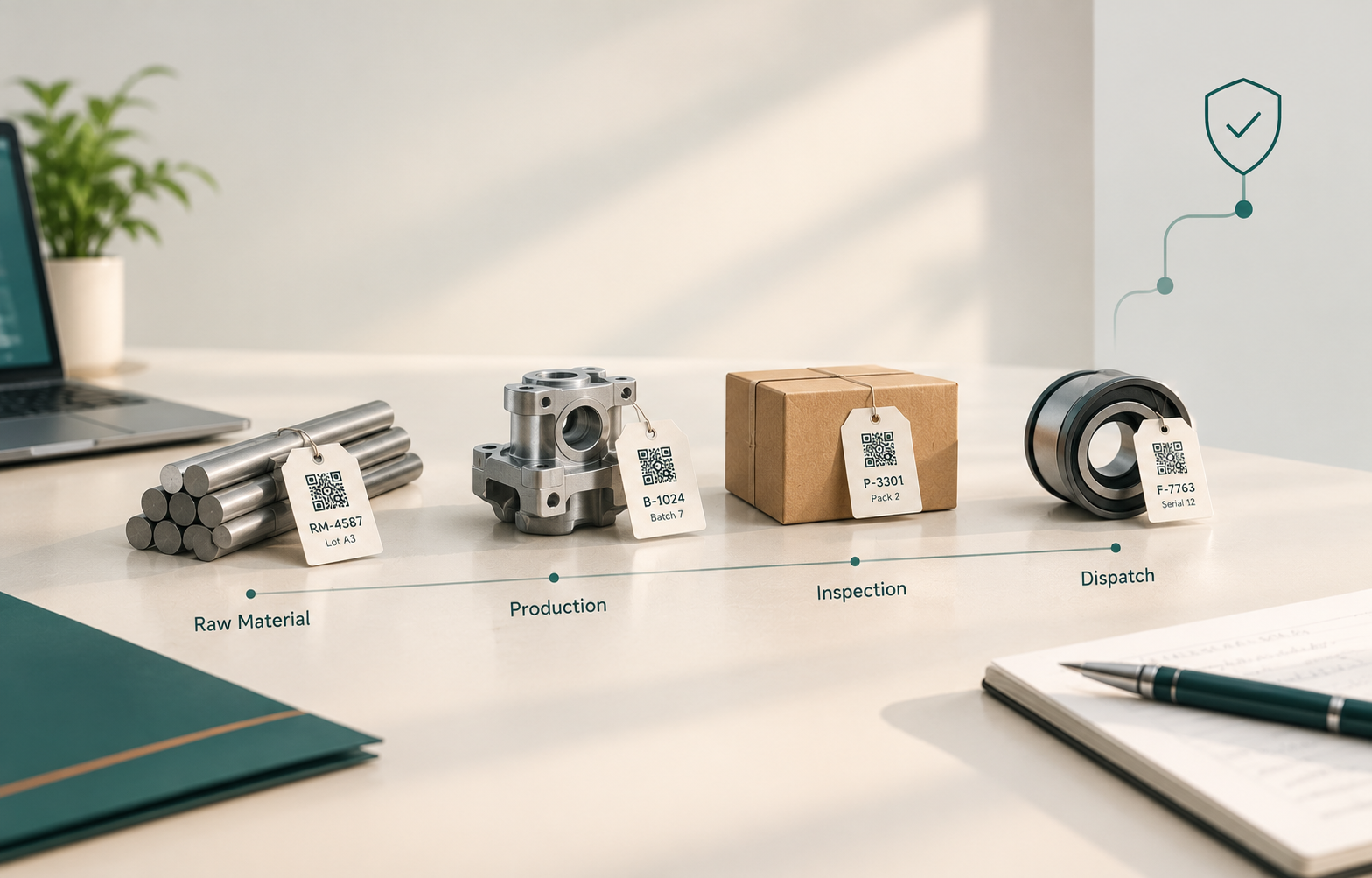
When an OEM (the vehicle maker) flags one suspect lot, the clock starts. NHTSA logged between 997 and 1,093 safety recalls a year from 2021 to 2025, and each one sends manufacturers hunting for the affected parts and lots. For MSME suppliers, the micro, small and medium units that supply Tier-1 plants (the OEM's direct suppliers), that hunt often runs through Excel and paper.
-
If an OEM flags one lot today, can you list every customer, invoice and dispatch it touched before lunch?
-
Can you say which raw material lot went into that batch, and which machine and operator made it?
-
Does your inspection record sit beside the batch record, or in a different file?
If any answer is "not sure", the gap is rarely effort. It is features: the links between records that your tools do not have. Edhaas Digisoft, a Pune-based custom software firm for auto-component and manufacturing MSMEs, wrote this guide to list nine traceability system features and show how we build each one.
TL;DR
-
A traceability system is only as good as the links between its records, not the number of scans.
-
Nine features cover identification, genealogy, quality links, recall control, integration and audit proof.
-
Backward tracing finds the cause, and forward tracing finds the customers. You need both.
-
Alerts and recall scoping save hours only if inspection data sits in the same record as the batch.
-
Test any system, or any spreadsheet, with a timed trace of one real batch.
What are the must-have traceability system features for a manufacturing plant?
The must-have traceability system features are unique batch and serial identification, forward and backward genealogy, linked inspection records, recall scoping with alerts, integration with ERP and machines, and audit-ready reports. Together they let a plant answer one question fast: what went into this part and where did it go? Nine features follow.
-
Unique batch, lot and serial identification (identify)
-
Aggregation, from raw lot to batch to pack (identify)
-
Backward and forward genealogy (trace)
-
In-process mapping by machine, operator and shift (trace)
-
Linked inspection and quality records (quality)
-
Targeted recall and containment scoping (recall)
-
Real-time alerts for exceptions (recall)
-
Integration with ERP, Tally and machines (connect)
-
Audit trail, access control and audit-ready reports (prove)
The 5-Minute Trace Test
Pick one batch you dispatched last month. Start a timer and find its raw material lot, machine, operator, inspection result and invoice. Write down every file or folder you opened. That count is your feature gap.
When we scope a traceability build, we run this test on your own data first. The places where the trace breaks tell us which of the nine features comes first.
Start with the two groups that decide whether a trace is possible at all: identification and genealogy.
How do identification and genealogy features trace a part from raw material to dispatch?
Identification and genealogy features trace a part from raw material to dispatch by giving every lot a unique ID and linking each production step to the one before and after it. Without both, a trace stops at the first gap. Features 1 to 4 build the chain.
|
Feature |
What it must do |
Test question |
|---|---|---|
|
1. Unique batch, lot and serial ID |
Give every lot a code that survives the whole route, printed as a barcode, QR or Data Matrix label |
Does one scan show the whole history? |
|
2. Aggregation |
Link parent and child records: raw material lot to production batch to pack to dispatch |
If two raw lots were mixed, can you list both? |
|
3. Backward and forward genealogy |
Backward finds the cause, forward finds the customers and invoices |
Can you trace both ways from one screen? |
|
4. In-process mapping |
Record machine, operator, shift and key settings for each batch |
Can you say which machine and shift made it? |
Mixing steps are where traces break. In a British Food Journal simulated recall of 30 food products, only 53% could be traced to their origin, and mixing steps were the hardest. Blended raw lots and merged batches in a machining or forging line create the same linking problem.
For auto-component manufacturers, we start with the raw material heat or lot number, because it is the first link in the chain. Every later record carries it forward. Machine, shift and operator come from the production tracking screen operators already use, so nobody enters them twice.
A chain of IDs is only half a trace. The next three features decide what you do with it.
Is your quality data ready for an audit or scattered across notebooks?
Tell us what your plant records look like today. We'll show you what the digital version looks like mapped to your process, not a template.
How do linked inspection records, recall scoping and alerts contain a bad batch?
Linked inspection records, recall scoping and alerts contain a bad batch by showing which lots are affected, holding them before dispatch and warning the team the moment a reading fails. Each works only if inspection data shares one record with the batch. Features 5 to 7 cover this.
Feature 5: Linked inspection and quality records. Inspection sheets sit in a separate file, so a batch's pass or fail needs a manual match.
Build: Inspection results, electronic approvals and the CoA (Certificate of Analysis, the document certifying a batch's test results) attach to the batch record.
Feature 6: Targeted recall and containment scoping. Without a scope list, one suspect lot becomes a broad sort of everything made that week.
Build: One search lists every affected batch, customer, invoice and dispatch.
Feature 7: Real-time alerts. A failed reading is noticed at the next review, not at the machine.
Build: An alert reaches the supervisor and quality head when a reading or approval fails, and the lot goes on hold.
We build the inspection screen inside the same quality management flow as the batch, so a failed reading cannot sit in another file. Hold and approval rules run through workflow automation, so the lot stops before dispatch, not after.
Recalls are routine at scale, which is why a small, fast scope matters.
Takeaway: Safety recalls have stayed near 1,000 a year, affecting roughly 31 to 40 million vehicles and equipment items each year.

|
Recall year |
Number of recalls |
Affected population |
|---|---|---|
|
2021 |
1,093 |
34,804,234 |
|
2022 |
1,050 |
32,141,648 |
|
2023 |
1,000 |
39,783,191 |
|
2024 |
1,073 |
35,019,977 |
|
2025 |
997 |
31,268,058 |
Alt text: Bar chart of US safety recalls, showing 34.8 million vehicles and equipment items affected in 2021, 32.1 million in 2022, 39.8 million in 2023, 35.0 million in 2024 and 31.3 million in 2025.
Source: NHTSA 2025 Annual Recalls Report, all recall types (vehicles, equipment, tires and child seats).
"Nearly 80% of vehicle recalls have a final remedy available within 60 days."
National Highway Traffic Safety Administration (NHTSA), 2025 Annual Report on Safety Recalls
Containment only works if the batch record connects to the systems you already run.
Does a trace in your plant still mean opening five files? Schedule a Consultation and we will time one real batch with you first.
How should a traceability system connect with ERP, Tally and machines and prove compliance?
A traceability system should connect with ERP, Tally and machines so records move between systems without retyping, and it should log who changed what so audits can verify every entry. Features 8 and 9 cover connection and proof, both of which IATF 16949 audits test.
Feature 8: Integration. A batch number entered once should reach stock, invoice and dispatch. ERP (Enterprise Resource Planning software for finance, stock and purchase), Tally and machine data all need a link.
Feature 9: Audit trail and reports. Role-based access, a record of every change and a one-click batch report for auditors and OEM buyers.
IATF 16949, the automotive quality management standard, asks for traceability plans that meet customer and regulatory response-time requirements. PPAP files (Production Part Approval Process) and APQP records (Advanced Product Quality Planning), both published by AIAG, the Automotive Industry Action Group, lean on the same records.
Three questions an auditor asks about one batch
Which raw material lot went into it? Who made and inspected it, and when? Which customers and invoices received it?
We connect to Tally and your ERP through an integration layer, so a batch number is entered once. Every entry carries who made it, when, and what changed.
Features are easier to judge side by side, so here is how three options compare.
Excel vs off-the-shelf software vs custom traceability: which fits an auto-component MSME?
Excel, off-the-shelf traceability software and a custom build differ most in how well they link records and how closely they fit your process. Excel costs least to start, packages suit standard flows, and a custom system fits plant-specific steps. The table compares all three across the nine features.
|
Feature group |
Excel or paper |
Off-the-shelf software |
Custom build |
|---|---|---|---|
|
Identification (1, 2) |
Manual codes, easy to duplicate |
Standard label formats |
Codes and labels matched to your parts and customers |
|
Genealogy (3, 4) |
Rebuilt by hand across files |
Strong if your steps match |
Mapped to your route, including merges and rework |
|
Quality link (5) |
Separate inspection files |
Depends on the module |
Inspection, approval and CoA in the batch record |
|
Recall scope and alerts (6, 7) |
Manual search, no alerts |
Present, depth varies |
Scope list and hold rules per customer |
|
Integration (8) |
Copy and paste |
Standard connectors |
Tally, ERP and machine links built for your set-up |
|
Audit proof (9) |
Easy to overwrite |
Present |
Who, when and what changed per entry |
|
Honest limit |
Errors grow with size |
May force process changes |
Needs mapping time and build effort |
Weak traceability also widens the cost of a defect. The Institute of Industrial and Systems Engineers reports that poor quality costs manufacturers about 15% of sales on average.
Takeaway: The average manufacturer loses around 15% of sales to poor quality, and complex products can reach 35%.

|
Measure |
Cost of poor quality (% of sales) |
|---|---|
|
Low end of range |
5% |
|
Average |
about 15% |
|
High end of range |
35% |
Alt text: Bar chart showing the cost of poor quality in manufacturing at 5% of sales at the low end, about 15% on average and 35% at the high end.
Source: IISE, "Measuring the cost of quality".
"...ranges from 5 percent to 35 percent of your sales dollar."
Institute of Industrial and Systems Engineers (IISE), on the cost of poor quality in manufacturing
Before we recommend a build, we compare your route against what a package can do. Some plants need only a small module beside their ERP.
If the table points to a build, the next question is how to choose and roll it out.
How do you choose and roll out a traceability system step by step?
You choose and roll out a traceability system by timing a real trace, ranking the gaps against the nine features, building one product family first, and running old and new records side by side. The five steps below follow the order we use with plants.
-
Time one real trace. Use the 5-Minute Trace Test on a batch from last month.
-
Rank the gaps. Score each of the nine features as present, partial or missing.
-
Pick one product family. Choose the part with the most OEM scrutiny or complaints.
-
Build and link. Set the IDs, link inspection and dispatch to the batch, and connect Tally or your ERP.
-
Run in parallel, then switch. Keep the old sheets for a short period and retire them once a timed trace matches.
We run the first trace on your own data in the Understand step, so the feature list comes from your gaps, not from a brochure.
Here is what that looked like for one client.
Is your quality data ready for an audit or scattered across notebooks?
Tell us what your plant records look like today. We'll show you what the digital version looks like mapped to your process, not a template.
What Most Guides to Traceability System Features Miss: The Link Between Records
Most guides to traceability system features list scanners, labels and software modules but skip the link between records: the rule that ties a batch to its inspection, invoice and dispatch. A system can scan every part and still fail a trace if those records sit apart.
Edhaas Digisoft, a Pune-based custom software firm for auto-component and manufacturing MSMEs, designs the links first and the scanning second. One client case shows the result.
Edhaas Digisoft client data: Final inspection and dispatch clearance
Challenge: Final inspection relied on manual reports and physical signatures. A customer reported a defective item from a QA-checked batch, and manual record retrieval slowed the response.
What we built: Digital inspection reports with electronic approvals, inspection data auto-linked to invoices and dispatch documents, and a digital Certificate of Analysis (CoA) issued with every batch.
Results: The disputed batch was verified in minutes, confirming scrapped items and protecting client credibility. Zero missing records with audit-ready documentation. Improved customer confidence.
In our work, the recall scope comes from the links, not the labels. A batch linked to its invoice can be traced in minutes, because nobody has to match files by hand.
Quick answers to common questions follow.
Conclusion
A traceability system is a chain of links, and one missing link breaks the whole trace. The nine features above cover identification, genealogy, quality, recall control, integration and proof.
Start with one product family and one timed trace. A custom traceability system can grow from there, one linked record at a time.
Ready to time your first trace? Schedule a Consultation with the Edhaas Digisoft team.

Questions